
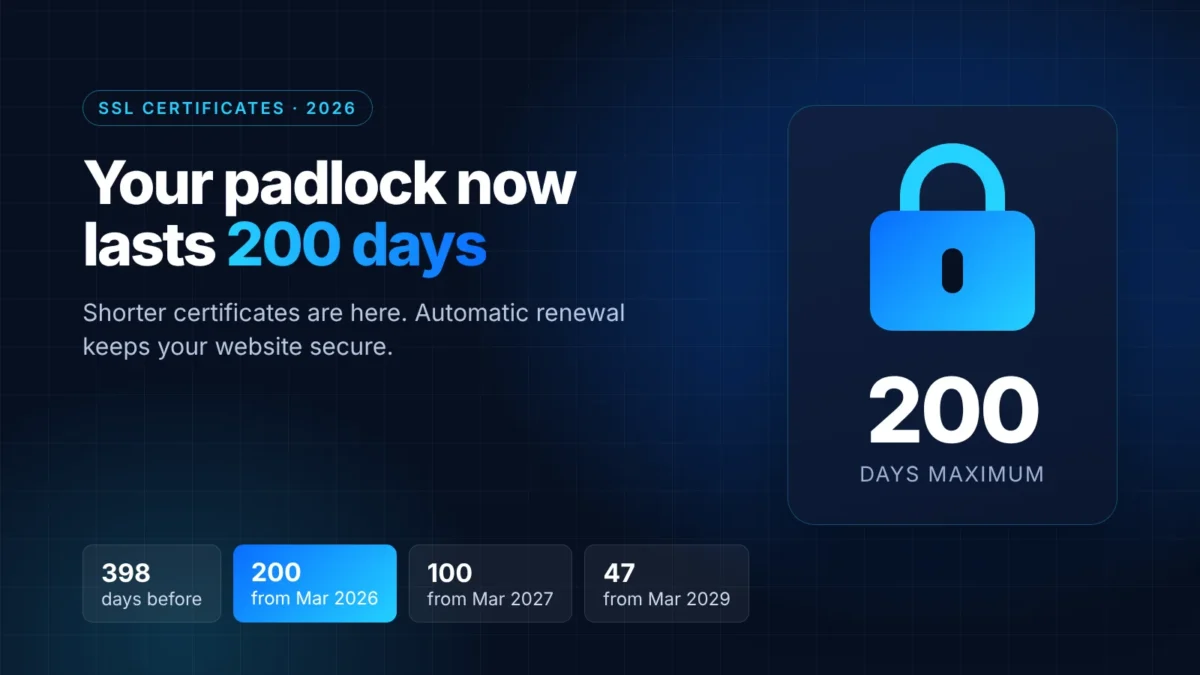
The padlock in your browser’s address bar depends on an SSL certificate, and those certificates are getting shorter. Since 15 March 2026, a new public SSL/TLS certificate can be valid for a maximum of 200 days, down from 398. The limit drops again to 100 days in 2027 and to just 47 days in 2029. Here’s what changed, who it affects and what Irish website owners should check.
What changed?
The rules for public SSL certificates are set by the CA/Browser Forum, the group of certificate authorities and browser makers (Google, Apple, Mozilla, Microsoft and others). In April 2025 it adopted Ballot SC-081v3, which shortens certificate lifetimes in three steps:
| Certificates issued… | Maximum validity | Domain validation can be reused for |
|---|---|---|
| Until 14 March 2026 | 398 days | 398 days |
| From 15 March 2026 | 200 days | 200 days |
| From 15 March 2027 | 100 days | 100 days |
| From 15 March 2029 | 47 days | 10 days |
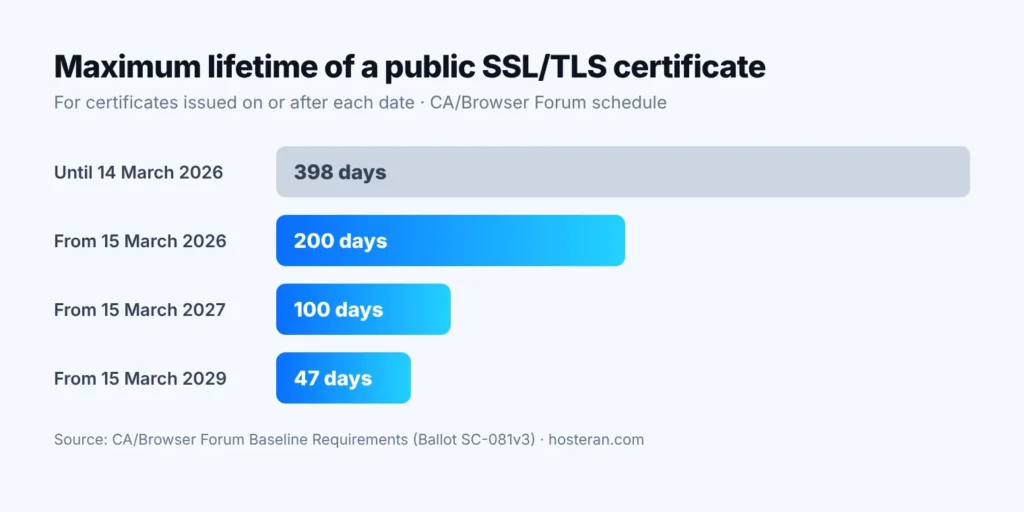
The new limits apply to certificates issued on or after each date. A certificate issued before 15 March 2026 stays valid until its own expiry date, but its replacement will be shorter.
The last column matters too. Before a certificate is issued, the certificate authority checks that you control the domain. From 2029 that check can only be reused for 10 days, so in practice your domain will be checked again almost every time the certificate renews.
Why are certificates getting shorter?
It’s about security. If a certificate’s private key is stolen, or a certificate is issued by mistake, it can be misused until it expires. A shorter lifetime limits that window, and the regular checks mean the information in the certificate is always recent. The trade-off is that certificates need replacing much more often, which is only practical when renewal is automatic.
What about free Let’s Encrypt certificates?
Let’s Encrypt certificates have always been short (90 days by default) and are designed to renew automatically. They are getting shorter too. Let’s Encrypt has announced that its default certificates will last 64 days from 10 February 2027 and 45 days from 16 February 2028.
One more change caught some site owners out: Let’s Encrypt stopped sending expiry reminder emails on 4 June 2025. If you used to rely on those emails to remind you to renew by hand, nothing will warn you any more.
Who needs to do something?
If your certificate renews itself, very little changes for you. You need to act if any of these apply:
- You bought a paid certificate and installed it by hand. Under the old rules that meant one job a year. Now it’s roughly twice a year, about four times a year from 2027 and around eight times a year from 2029. Some certificate authorities sell multi-year plans, but the certificate itself still has to be reissued and installed again before each one expires.
- Your server, shop system or device uses a certificate someone set up manually, such as a booking system on its own subdomain or a mail server.
- Your domain doesn’t point to the server that renews the certificate, for example after moving DNS to another provider. Automatic renewal needs the domain check to succeed each time.
If a certificate expires, visitors see a full-page browser warning that the connection is not private instead of your website. Most people leave straight away, and online payments and contact forms stop working for them.
How SSL works on Hosteran hosting
Every website hosted with Hosteran gets a free SSL certificate automatically through cPanel’s AutoSSL, and it renews itself before it expires. Shorter lifetimes simply mean it renews more often in the background. There’s nothing to buy and nothing to install.
The one condition is that your domain points to Hosteran, because the domain check runs at every renewal. Our guide How to get the free SSL certificate shows where to see the status and expiry date of each certificate in cPanel.
A quick checklist for 2026
- Check your expiry date. Click the padlock (or the settings icon) next to your address in the browser and open the certificate details. If it was issued after 15 March 2026 and lasts longer than 200 days, something is wrong.
- Find out how it renews. If the answer is “someone does it by hand”, plan to move to automatic renewal before the 100-day limit arrives in March 2027.
- List every certificate you own. Include subdomains (shop., book., mail.) and any service that runs on your domain but outside your main website.
- Keep your DNS tidy. Make sure the domain and its subdomains point to the right server. If you use CAA records to restrict which certificate authorities can issue for your domain, check they still allow the one your host uses.
- Don’t rely on reminder emails. Automatic renewal is the safe option. If you must renew by hand, put the dates in a shared calendar.
Frequently asked questions
Does my current certificate stop working on 15 March?
No. The rules apply to newly issued certificates. An existing certificate stays valid until the expiry date written in it.
Is a paid certificate better than a free one?
For encryption, no: both protect the connection in the same way and both show the padlock. Paid certificates can include extra company checks or a warranty, but they are now limited to the same 200 days, so they need renewing just as often.
Do I need to do anything if my website is hosted with Hosteran?
Usually not. AutoSSL renews the free certificate for you, as long as your domain points to Hosteran. If you installed a certificate from another provider yourself, contact us and we’ll look at the best option for your site.
Want SSL you never have to think about? See our hosting plans. Every plan includes a free SSL certificate that renews itself.
Sources: CA/Browser Forum, Ballot SC-081v3 and the TLS Baseline Requirements; Let’s Encrypt, Decreasing Certificate Lifetimes to 45 Days and Expiration Notification Service Has Ended; DigiCert, Multi-year Plans. All checked on 25 October 2026.