
Knowledge base › Databases & PHP
How to create a MySQL database and user
Needed when you install a website by hand or move one from another host.
- 1
Open the wizard
In cPanel, in the Databases section, click Database Wizard.
- 2
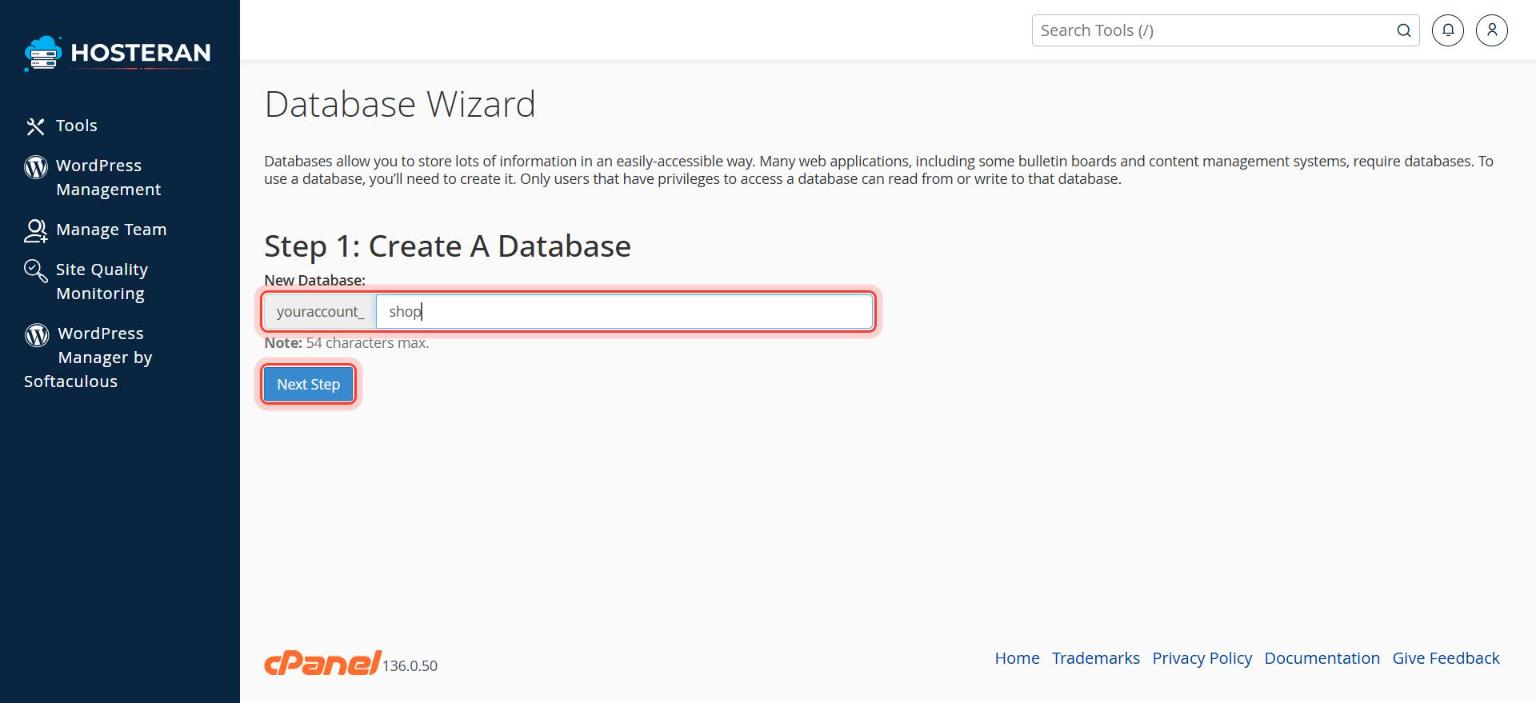
Name the database
Type a name (e.g.
shop) and click Next Step. cPanel adds your account prefix, so the full name looks likeaccount_shop. - 3
Create a user
Type a username and a strong password (use Password Generator), copy both, and click Create User.
- 4
Give permissions
Tick ALL PRIVILEGES and click Next Step.
- 5
Note the details
Write down the database name, username and password. Your website’s configuration file needs them, with host
localhost.
Stuck on a step? Open a ticket and tell us the step number.