
Knowledge base › Databases & PHP
How to create a cron job (scheduled task)
Run a script automatically, e.g. every hour.
- 1
Open Cron Jobs
In cPanel, in the Advanced section, click Cron Jobs.
- 2
Choose how often
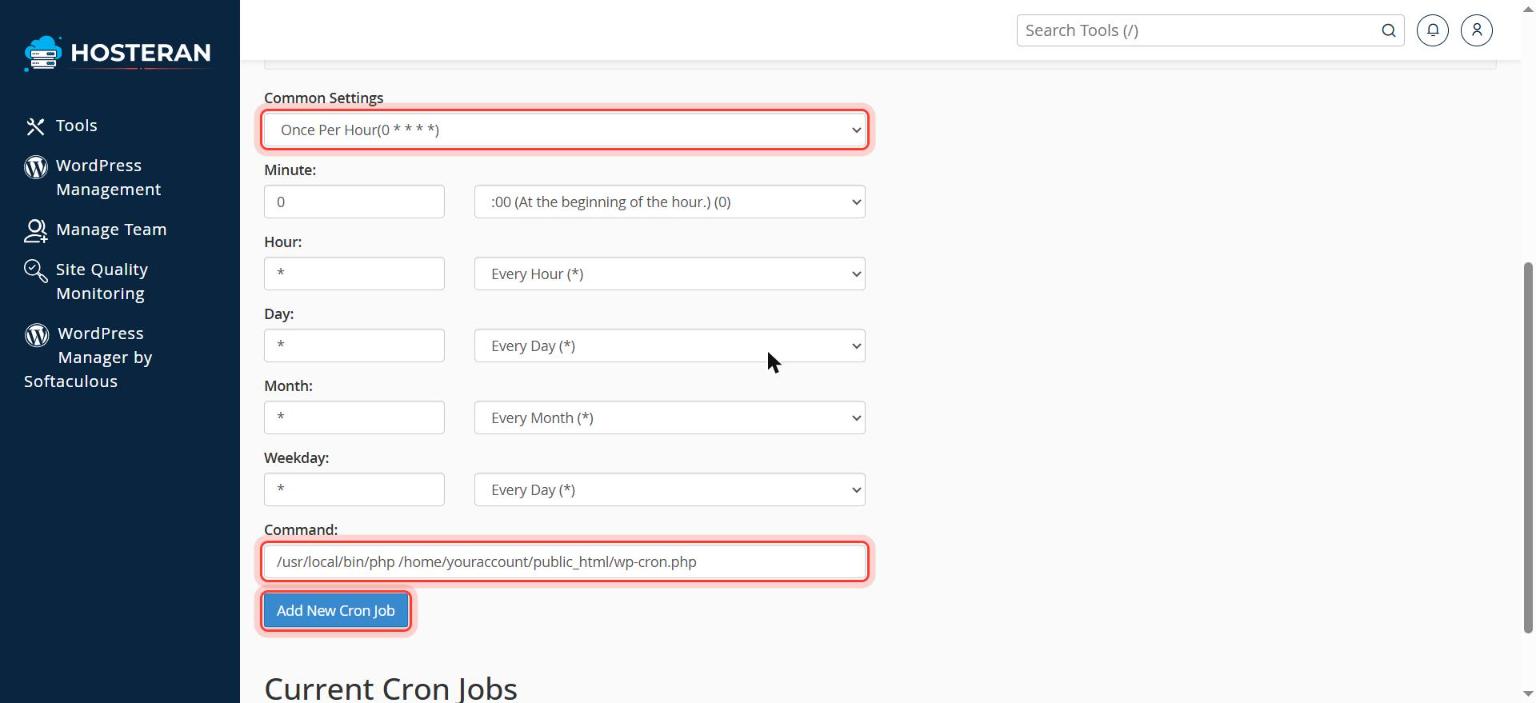
Under Add New Cron Job, use Common Settings to pick a schedule such as Once Per Hour.
- 3
Enter the command
Paste the command provided by your software into Command.
- 4
Add it
Click Add New Cron Job. It appears in the list below, where you can edit or delete it.
Good to know
- Don’t run cron jobs more often than you need: every 15 minutes is enough for most websites.
Stuck on a step? Open a ticket and tell us the step number.