
How to add another domain or subdomain to your hosting
Host a second website, or create a subdomain such as shop.yourbusiness.ie.
- 1
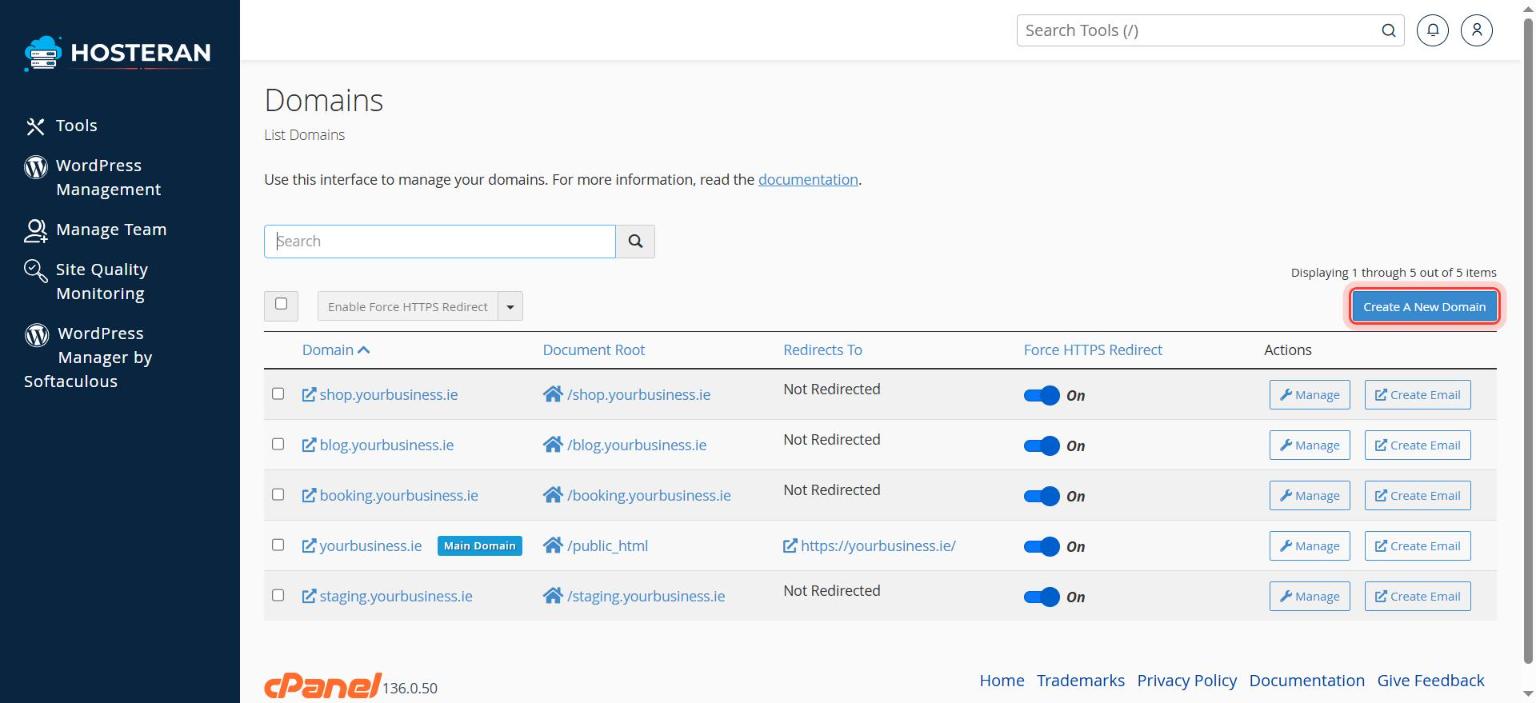
Open Domains
In cPanel, in the Domains section, click Domains.
- 2
Click “Create A New Domain”
Click the blue Create A New Domain button.
- 3
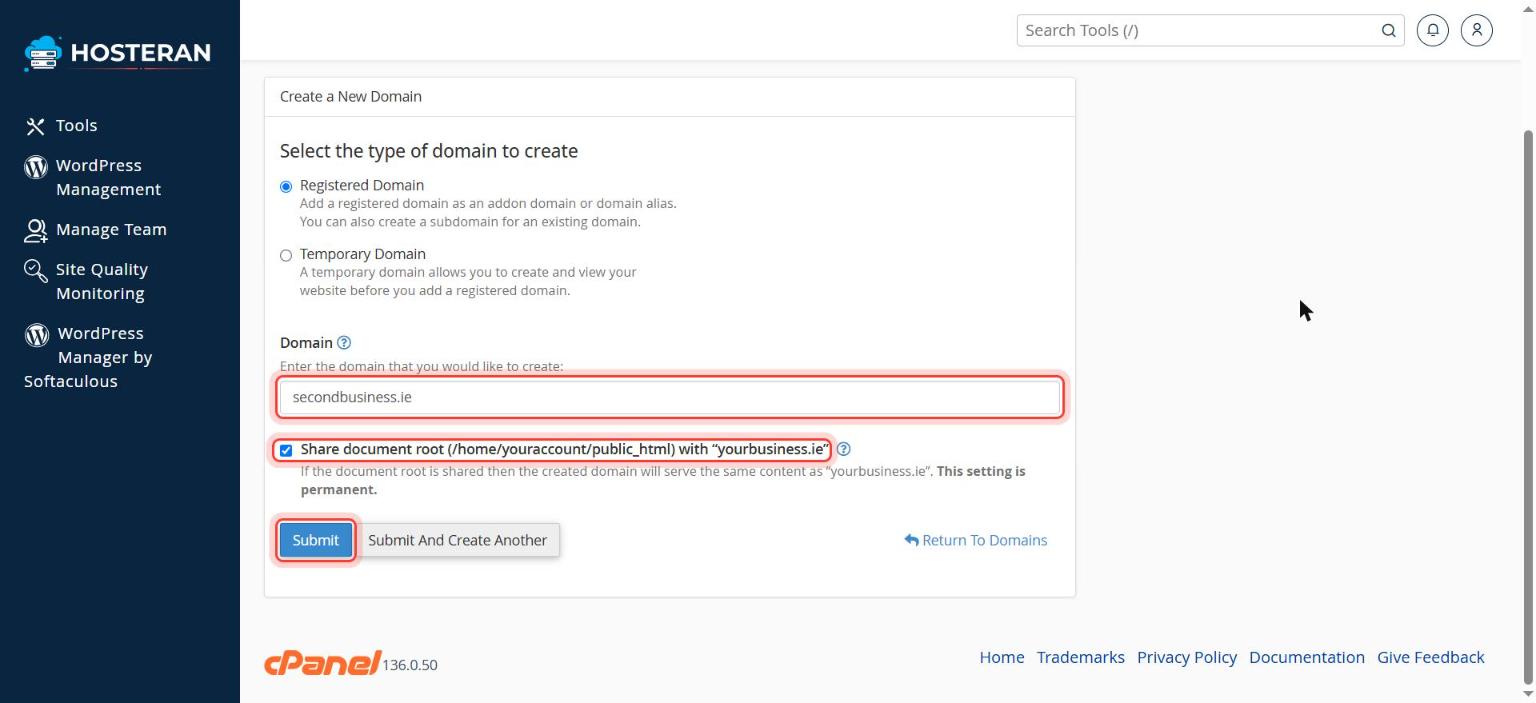
Type the domain
Enter the domain (e.g.
secondbusiness.ie) or a subdomain (e.g.shop.yourbusiness.ie). - 4
Choose the folder
Untick Share document root if this is a separate website. cPanel suggests a folder name for its files, which you can keep.
- 5
Submit
Click Submit. The domain now appears in the list and its folder is ready in File Manager.
Good to know
- The number of websites you can add depends on your plan: 1 on Starter, 5 on Business, 10 on Pro.
Stuck on a step? Open a ticket and tell us the step number.