
How to redirect a domain or page to another address
Send visitors from an old address to a new one.
- 1
Open Redirects
In cPanel, in the Domains section, click Redirects.
- 2
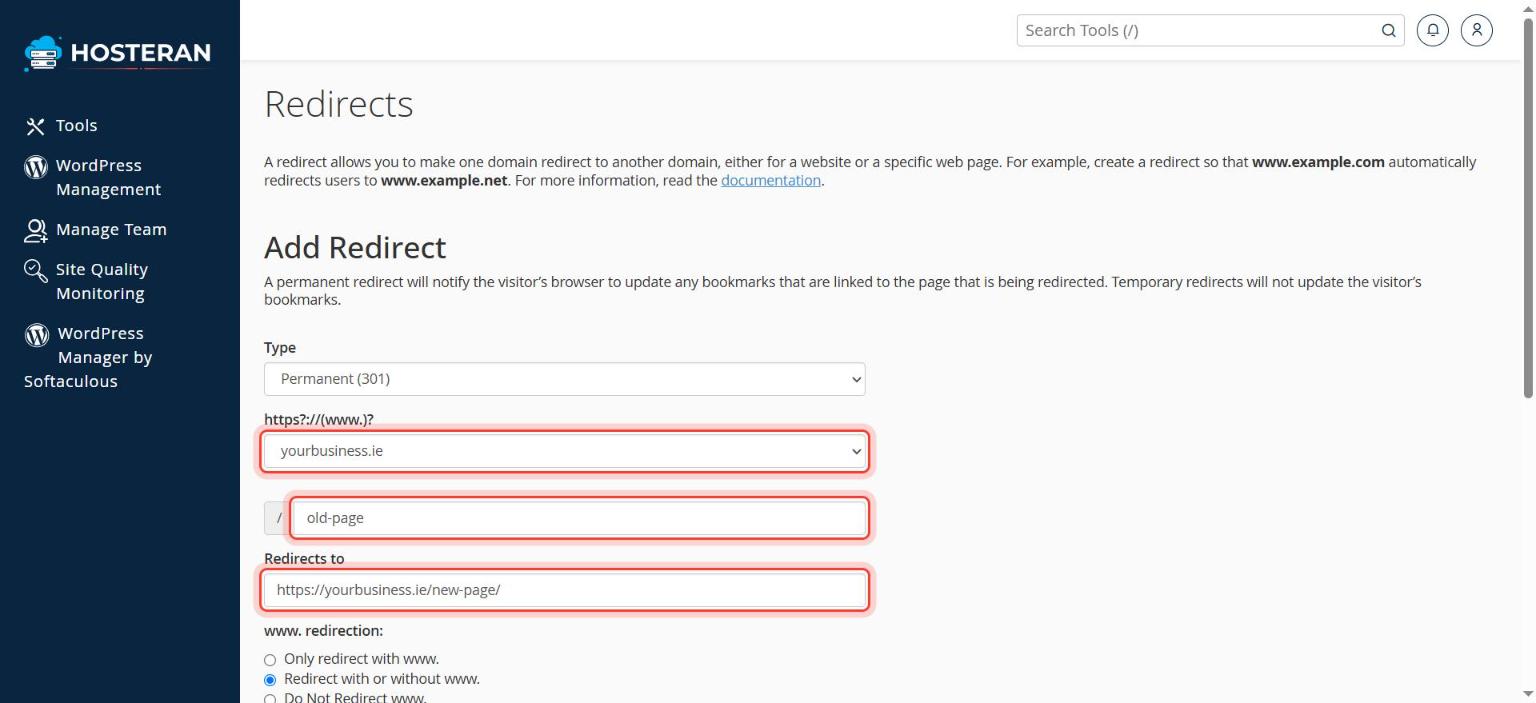
Choose the type
Choose Permanent (301). This is the right choice for search engines when an address has moved for good.
- 3
Choose what to redirect
Pick the domain from the list. Leave the box after the slash empty to redirect the whole domain, or type a page, e.g.
old-page. - 4
Type the destination
In Redirects to, type the full new address, e.g.
https://yourbusiness.ie/new-page/. - 5
Add it
Choose Redirect with or without www. and click Add.
Good to know
- On a WordPress site, you can also manage redirects inside WordPress with an SEO plugin.
Stuck on a step? Open a ticket and tell us the step number.