
How to forward email to another address
Send copies of messages for one address to another mailbox, e.g. your Gmail.
- 1
Open Forwarders
In cPanel, go to the Email section and click Forwarders.
- 2
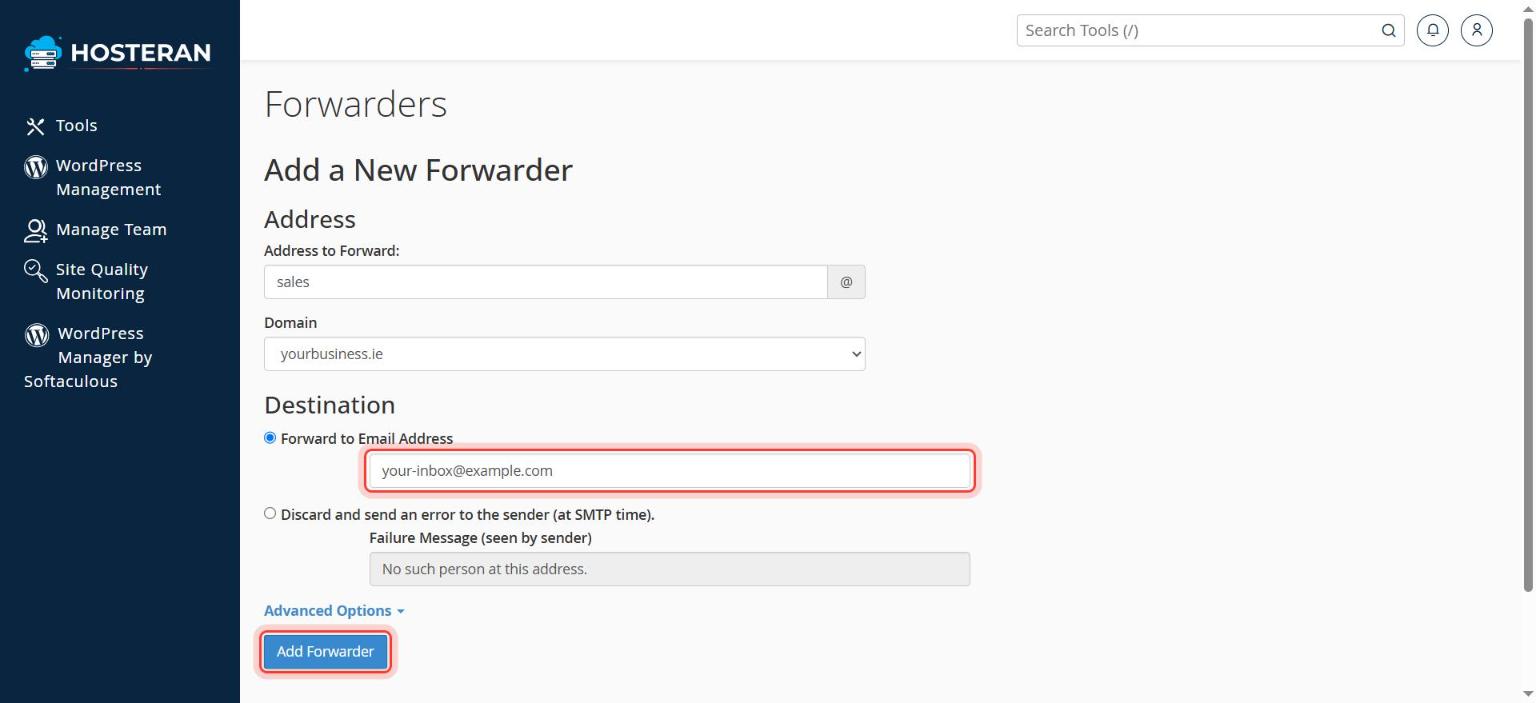
Add a forwarder
Click Add Forwarder.
- 3
Address to forward
Type the address that should be forwarded (e.g.
sales) and choose the domain. - 4
Destination
Choose Forward to Email Address and type where it should go, e.g.
john@gmail.com. - 5
Save
Click Add Forwarder. Send a test message to check it arrives.
Good to know
- Forwarding to Gmail or Outlook.com can sometimes land in spam. Connecting the mailbox with IMAP is more reliable.
Stuck on a step? Open a ticket and tell us the step number.